Client intake for web projects
Ask Once. Get Everything.
Ask for everything a project needs, send one link, and watch files and answers arrive. No accounts for your client, nothing to install.
 WebIntakeSample data
Nova Website
Beck & Co
Submitted content
- Logo filesFilesReceived
- Brand colorsColorReceived
- About us contentLong textReceived
- Team photosFilesPending
- Launch dateDatePending

From request to ready
Set up the request once and give your client one place to respond.
Request details Nova Website
- Current logo filesAccept multiple files
- Tell us about Nova in a few sentencesShort answer
- Preferred launch dateDate
Build your request
Start with 15 templates or build your own. Mix eight question types, reorder them, and mark the essentials as required.
Share with your client Nova Website
webintake.online/w/…No account, no password, nothing to install.
Hi! Here’s everything we need to get started on your project.
Share one link
Send one link to a form with your logo. Clients can upload files, answer questions, and return later without creating an account.
Submitted content Nova Website
3 of 5- Logo filesReceived
- Brand colorsReceived
- About us contentReceived
- Launch datePending
Get everything back
Review answers and uploads by project. Follow progress, send reminders, and download the complete material when you're ready.
Every project in one place.
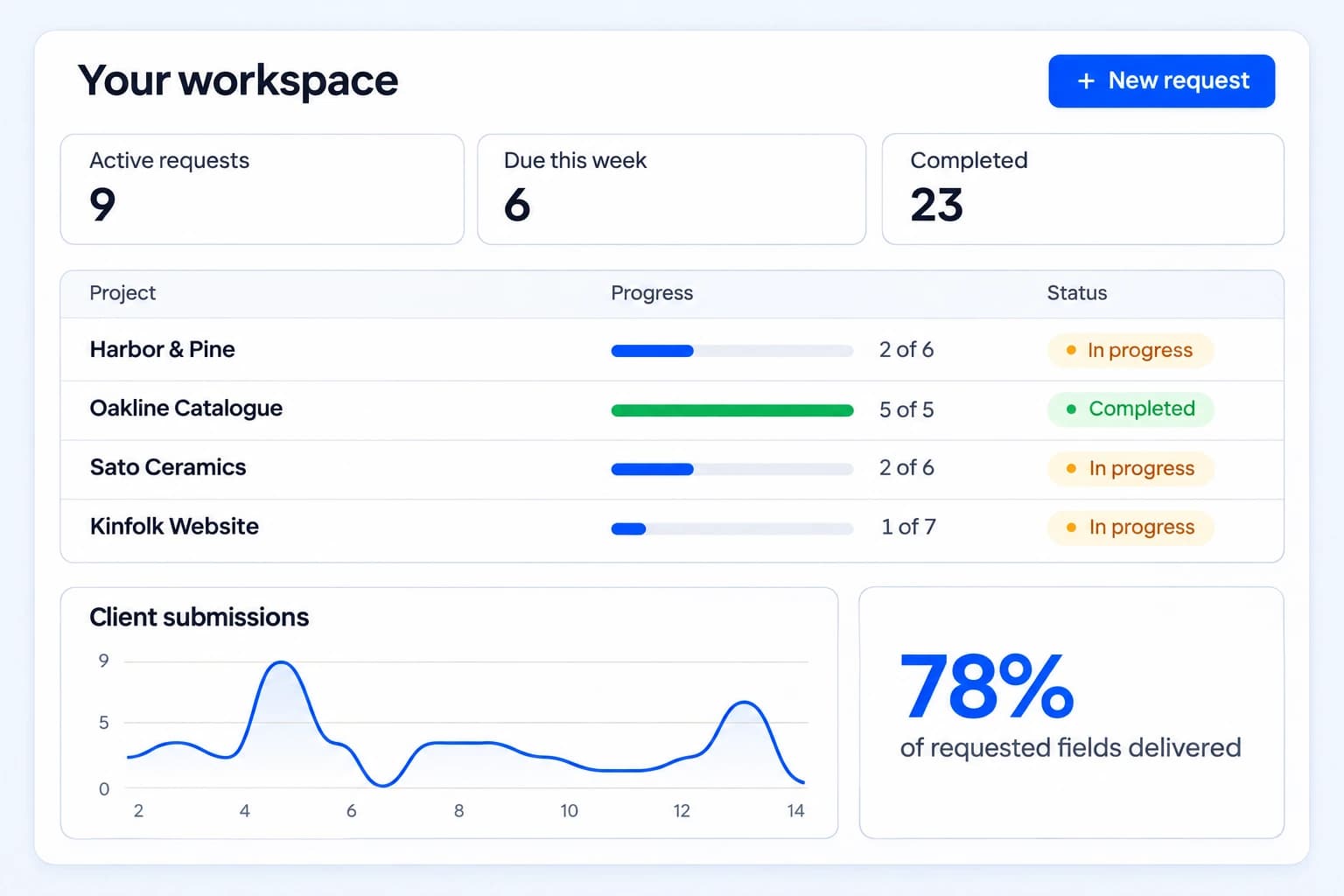
See what's still missing, what's already arrived, and which requests need attention. Open any project with the full context in front of you.
Know exactly where work stands
Track draft, sent, in-progress, and completed requests, with delivered and outstanding field counts for every project.
A record of every update
Review uploads, answers, submissions, and reminders in the activity feed. Know who sent what before you follow up.
Hear when a client submits
Get an email when a client submits their request, with a link straight back to the project.

Ask for anything a project needs.
Combine them in any order. Mark what you cannot start without.
- Files
Current site content and images
- Long text
A few sentences about the business
- Links
Three sites you admire
- Multiple choice
Which direction feels closest?
- Short text
Company name
- Date
Preferred launch date
- Checklist
Pages you need
- Color
Brand color
One link. A simpler start.
Give clients one clear place to send what you need. Files, answers, and the little details that get a project moving.
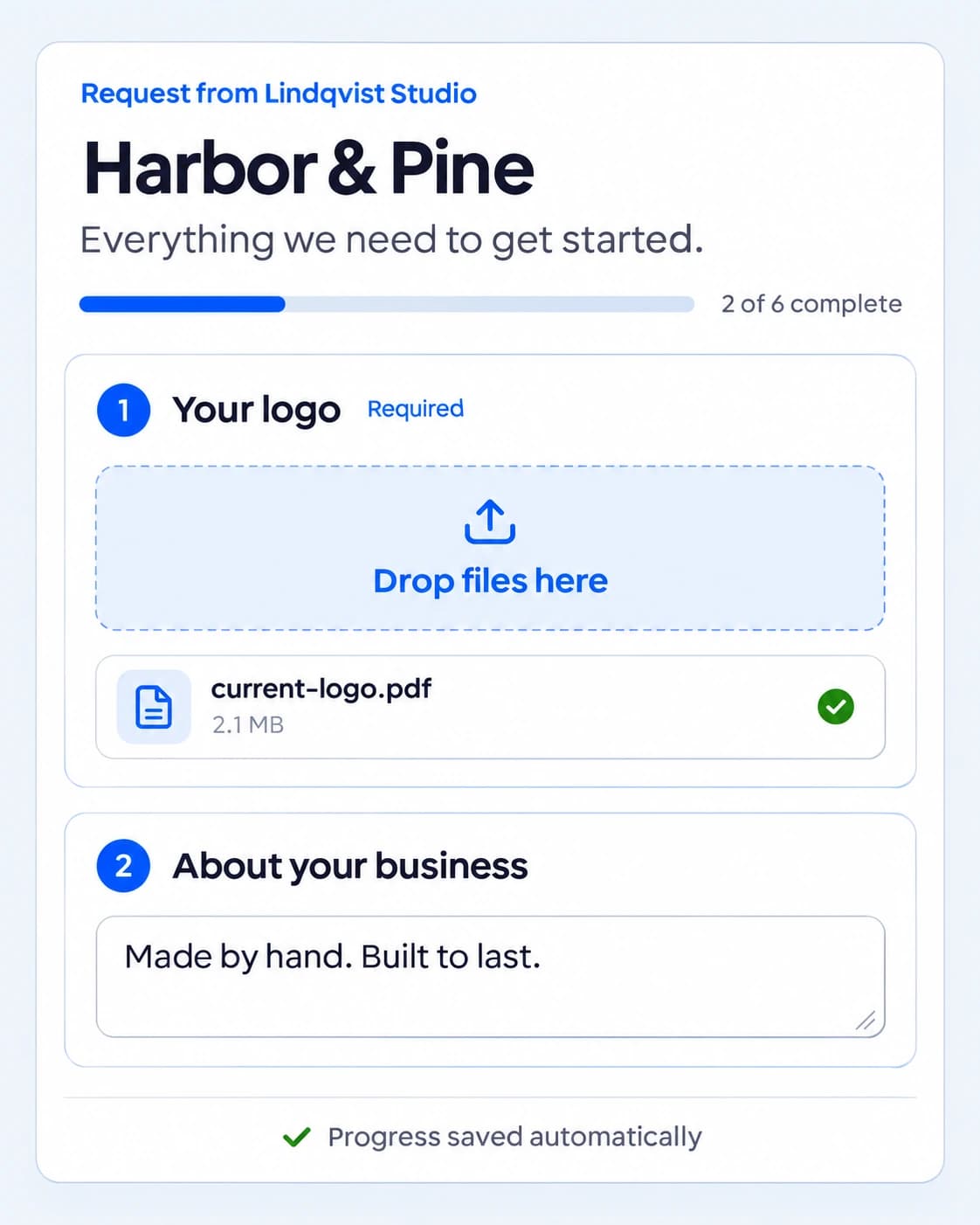
Open the link and get started
No account, password, or new app for your client.
Files and answers, together
A guided request keeps every upload and response in the right project.
Pick up where they left off
Progress saves automatically, so clients can finish in their own time.
Your logo. Your business name. A familiar welcome.
See what's due. Skip the chasing.
Plan deadlines across every client and choose how to follow up when something is still missing.
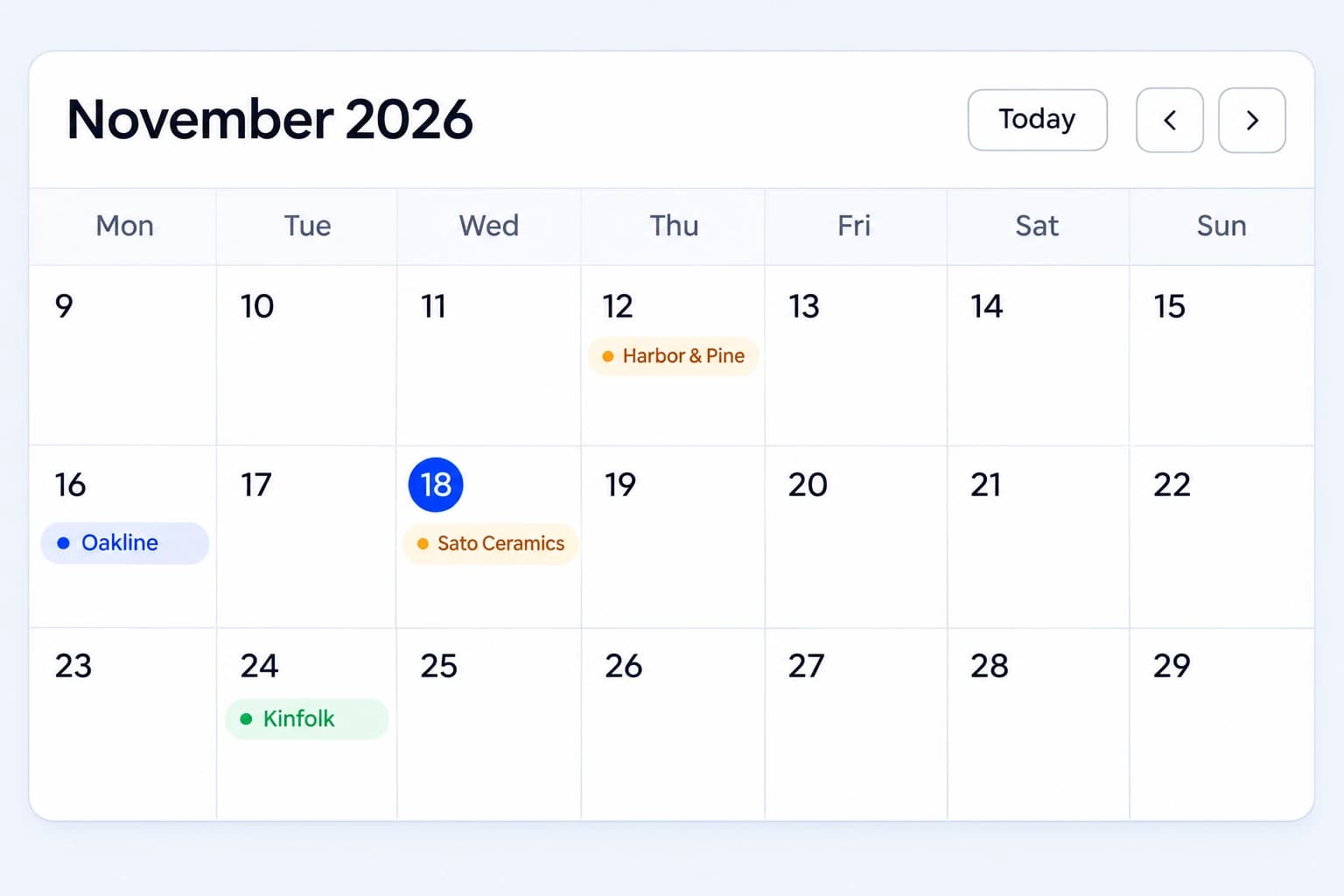
Every deadline in one view
Set a due date for each request. Switch between month and week views to see what needs your attention next.
Send a reminder when it matters
Give a client a nudge from any request, on any plan, with a list of the items still missing.
Automatic follow-ups on paid plans
Reminders begin three days after you share the link, then repeat every three days while items are missing.
Keep the whole client project organized.
Keep client context, understand response patterns, and take a complete project handoff with you. The details stay together from the first request.
- Client history and private notes
Keep contact details, company information, and notes with each client. Current and past requests stay grouped together, ready for the next project.

- Insights into how clients respond
Review completion rates, average response times, submission trends, and workload over time. Compare response times by client to plan your next kickoff.

- A reusable intake process
Start with 15 design and development templates, or create your own. Save your questions, field order, and required settings for the next project.

- A complete handoff in one ZIP
Download the uploaded files together with a readable summary of every answer, link, and choice. Keep the full project material outside WebIntake.

- Your branding on every request
Your logo and business name appear on client forms on every plan. Paid plans also remove the WebIntake footer credit.

- A language choice for each client
Choose each client's form and reminder language separately from your workspace. Arabic includes right-to-left layouts.
English · Español · Deutsch · العربية

- Storage you can manage by project
See which requests use your storage. Download finished project files and clear their uploads while keeping the request record.
Up to 500 MB per file on paid plans; 50 MB on Free.

- Private files and unique links
Each request has its own unique link. Client pages stay out of search engines, and uploaded files have no public URLs.

15 ways to start, built in.
Split between design work and development work. Use one as it is, or start from it and change what you need.
Design templates (7)
- New Website Design Brief
- Logo & Brand Identity Intake
- Website Redesign Intake
- UI/UX Design Project
- Landing Page / Campaign Page Build
- Portfolio / Personal Website Intake
- Accessibility Audit Request
Development templates (8)
- New Website Build Intake
- Website Migration or Rebuild
- Bug Report or Fix Request
- E-commerce Site Build
- Website Maintenance / Content Update
- Web App / SaaS Product Intake
- Hosting & Domain Setup Request
- SEO Optimization Intake
Start free. Add storage as you grow.
Basic and Pro differ only in how much storage you get.
Free
€0 / month
- Active requests at a time
- 3
- Client uploads
- 1 GB
- Maximum file size
- 50 MB
- Reminders
- Manual
Basic
€7 / month
- Active requests at a time
- Unlimited
- Client uploads
- 10 GB
- Maximum file size
- 500 MB
- Reminders
- Automatic
Pro
€15 / month
- Active requests at a time
- Unlimited
- Client uploads
- 25 GB
- Maximum file size
- 500 MB
- Reminders
- Automatic
Full plan comparison
| Free | Basic | Pro | |
|---|---|---|---|
| Active requests at a time | 3 | Unlimited | Unlimited |
| Client uploads | 1 GB | 10 GB | 25 GB |
| Maximum file size | 50 MB | 500 MB | 500 MB |
| Unlimited clients and templates | Included | Included | Included |
| Eight kinds of question | Included | Included | Included |
| Your client never creates an account | Included | Included | Included |
| Clients save and come back to the same link | Included | Included | Included |
| Client answers arrive at your own email address | Included | Included | Included |
| Due dates, with a calendar of what is coming up | Included | Included | Included |
| Your own logo on every client page | Included | Included | Included |
| Reminders | Manual | Automatic | Automatic |
| Reminders start 3 days after sending | Not included | Included | Included |
| No WebIntake credit on your client pages | Not included | Included | Included |
Frequently asked questions
How WebIntake works for you and your clients.
Does my client need an account?
No. They open the link, fill it in, and submit. Their progress saves as they go, so they can close the tab and come back to the same link later.
How large can the files be?
Up to 50 MB per file on the free plan and 500 MB on Basic or Pro, within your plan's total storage. Uploads go straight from your client's computer to storage, so nothing passes through a form. For anything larger, ask for a link instead.
Who can see what my client uploads?
Only you. Each link carries a long random token rather than a guessable address, the page is kept out of search engines, and files are never served from a public URL. Delete a request, or your whole account, and everything in it goes with it.
How long do you keep the files?
For as long as you need them. We may remove uploads 90 days after a request is marked complete, so download anything you want to keep. You can also clear a finished request yourself and get the space back.
Can I cancel?
Any time, from the billing page. You keep your data and your account returns to the free plan. Nothing is deleted because you stopped paying.
Your next project starts with everything in place.
Collect the files, answers, and links you need, and keep every client request organized from the first link to the final handoff.
- Free plan available
- No credit card required

- Ask for anything
- Files, text, links, and choices.
- Easy for clients
- One link. No account. Progress saved.
- Start from a template
- Ready-made requests you can customize.
- See what's missing
- Progress, activity, and due dates.
- Keep things moving
- Reminders and submission alerts.
- Organized handoffs
- Download files and answers together.